
How to Split Bills and Complete Counter Checkout with Dynamic UPI QR
Fast, flexible checkout operations keep dining counters moving smoothly during peak hours. In Innoventry, cashiers can split customer bills by guest covers or ordered items, process split tenders across cash, cards, and UPI, display dynamic BharatQR codes on screen, and print GST-compliant thermal invoices in under two seconds.
1. Bill Splitting Options
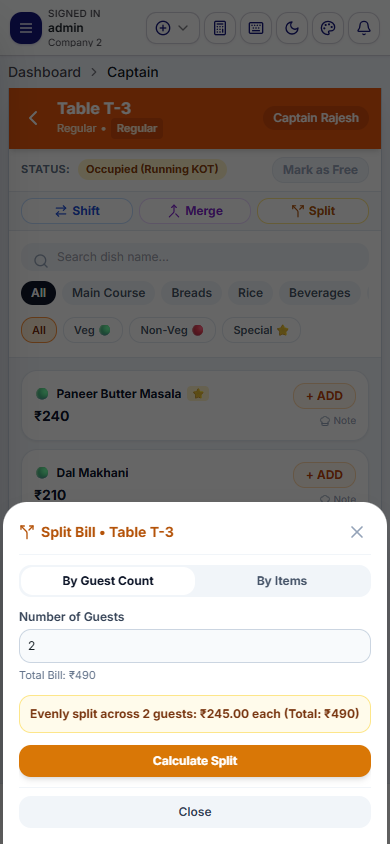
When dining guests request separate checks, Innoventry supports two split modalities:
A. Split by Covers (Equal Partition)
- Divides the grand total equally across the specified number of guests (e.g., splitting a ₹2,400 bill across 4 guests into four ₹600 checks).
- Each guest check can be settled with a separate payment method (Guest 1 pays cash, Guest 2 pays UPI QR, Guest 3 and 4 pay card).
B. Itemized Split (Dishes by Seat)
- Allows moving specific items to separate checks (e.g., moving starters and desserts to Check A, and main course beverages to Check B).
- Captains can perform item partitions on the mobile app, or cashiers can configure them directly at the billing counter.
2. Opening the Settle / Checkout Dialog
When the table is ready for final payment:
- Click on the Occupied table on the POS screen.
- Click Settle Bill (or shortcut
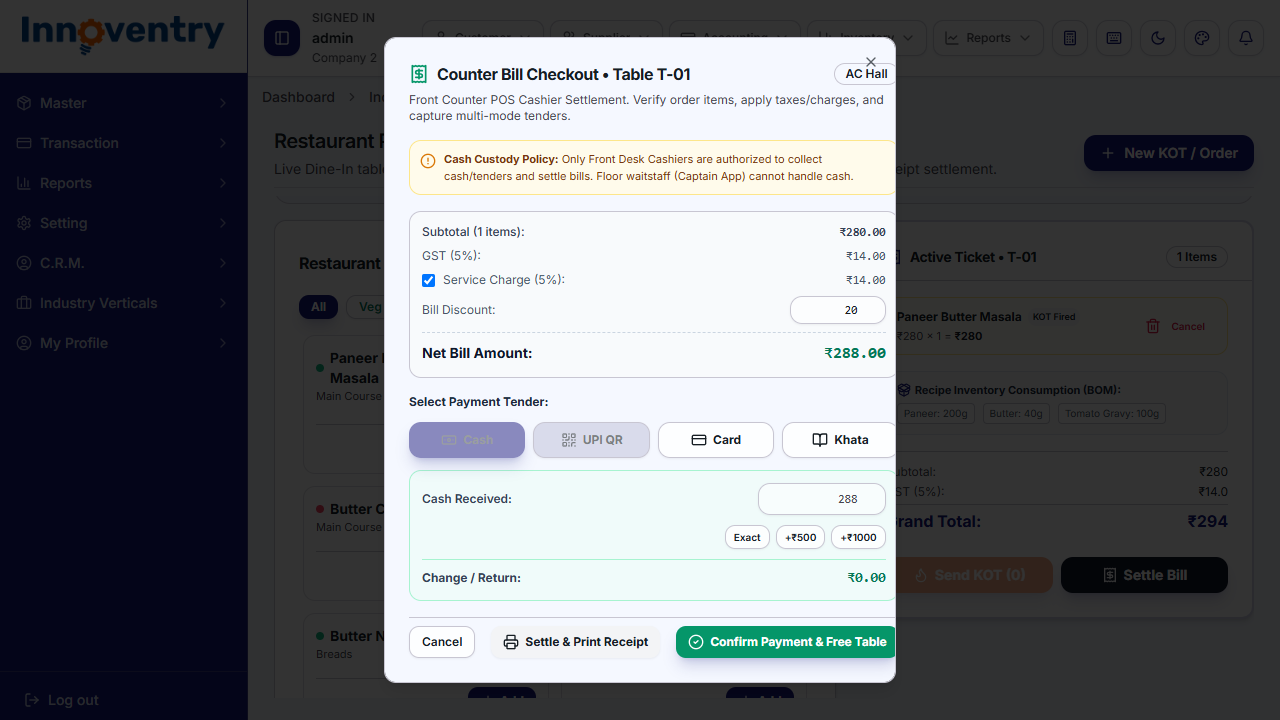
F12). - The Checkout Settlement Modal opens, summarizing the order items, taxable amount, applicable GST (CGST @ 2.5% + SGST @ 2.5%), and grand total.
3. Multi-Tender Settlements
Guests often split their payment across payment modes (e.g., paying ₹500 in cash and the remainder via UPI or credit card). Innoventry handles split tenders seamlessly:
- Cash: Enter the cash amount received from the guest. The system calculates the exact balance change to return to the customer.
- Card: Enter card payment with authorization reference.
- UPI / BharatQR: Generates an instant, order-specific QR code.
4. Dynamic On-Screen BharatQR Generation
To eliminate manual payment entry and speed up digital payments:
- Select UPI / BharatQR as the tender mode.
- Innoventry automatically generates a dynamic UPI QR code encoded with your restaurant's VPA (Virtual Payment Address) and the exact net bill amount.
- The customer points their smartphone camera or any UPI app (Google Pay, PhonePe, Paytm, BHIM) at the cashier screen.
- Upon payment completion, the cashier confirms receipt and clicks Complete Settlement.
5. Automated Change Return Calculation
For cash payments:
- Enter the amount tendered (e.g., bill is ₹730 and the guest hands a ₹1,000 note).
- Innoventry highlights the exact balance change in bold green:
Change Return: ₹270.00. - The cash drawer kicks open automatically via the thermal printer interface.
6. Thermal Receipt Printing & GST Compliance
Once settlement is finalized:
- Innoventry prints the official tax invoice on your configured thermal receipt printer (58 mm, 80 mm, or 100 mm).
- The receipt includes your business logo, GSTIN, FSSAI license number, table number, captain name, itemized GST breakdown, and optional WhatsApp/SMS invoice delivery.
- The table status on the floor plan automatically resets to Green (Available), ready for the next party of guests.